
Calendars get a brain
Remember the endless email chains just to find a time that works for everyone? The back-and-forth, the proposed times that never quite fit, the sheer frustration of it all. For years, we’ve accepted this as the price of collaboration. But things are changing. Artificial intelligence is finally moving beyond simple task management and starting to offer genuinely proactive assistance with our calendars.
It wasn’t always this way. For a long time, calendar syncing was a huge win in itself. iCal was the early standard, allowing basic sharing of appointments. Then Google Calendar came along and made syncing across devices almost seamless. Now, that level of connection feels…basic. We’ve gotten used to the convenience, and we’re ready for something more intelligent.
The promise of AI isn’t just about making things faster; it’s about making them easier. It’s about a calendar that understands your needs, anticipates conflicts, and helps you make the most of your time. It’s a shift from reactive scheduling to a system that actually works for you, rather than the other way around. And that’s a pretty exciting prospect.
What AI actually adds
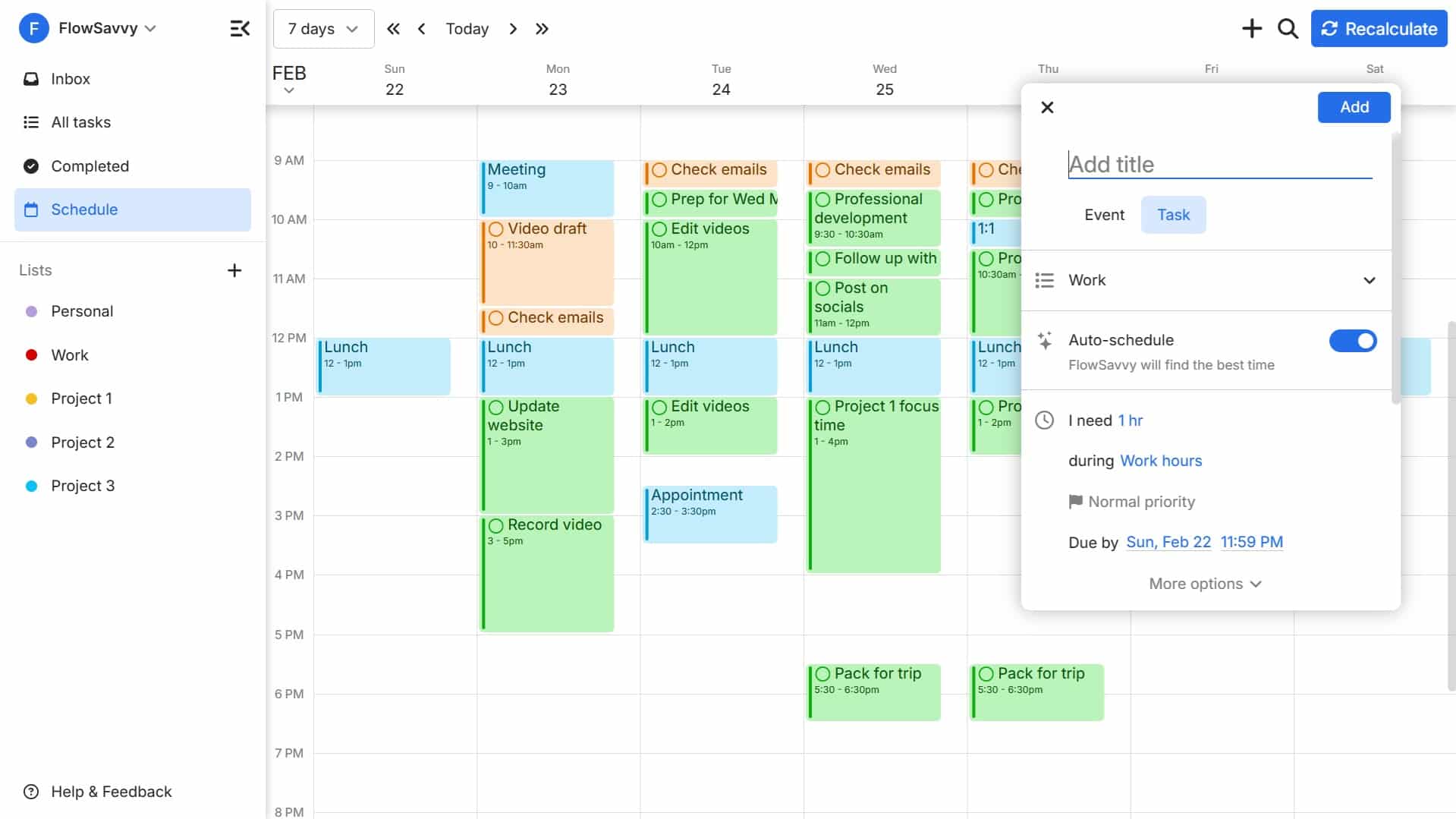
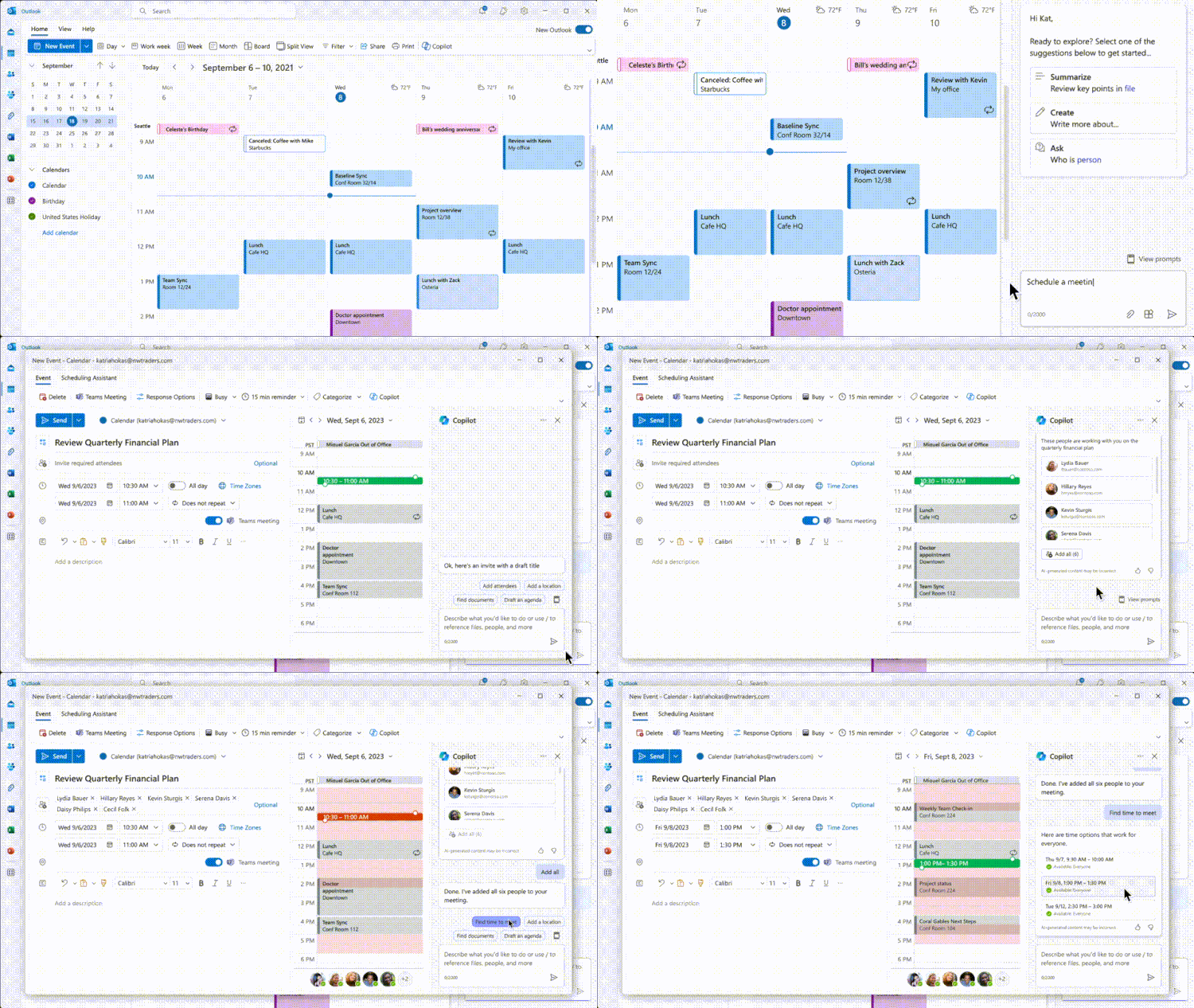
So, what does AI actually do for your calendar? It goes way beyond simply making sure your appointments appear on all your devices. One of the biggest improvements is in intelligent meeting suggestions. These aren’t just about finding a mutually free slot; they consider attendee travel time, preferred meeting lengths, and even individual preferences – like whether someone prefers morning or afternoon meetings.
Automated conflict resolution is another game-changer. Instead of just flagging a double-booking, AI can propose solutions. Maybe it suggests rescheduling one meeting, shortening another, or even finding a different attendee who can represent someone. It’s about actively solving problems, not just pointing them out. This is a big step up from traditional calendar alerts.
Perhaps most impressively, AI is bringing context to scheduling. Imagine your calendar recognizing that a meeting is a project kickoff and automatically suggesting relevant documents or background information. Or understanding that a meeting is with a client and reminding you to review their account details. These features aren't just about time management; they're about improving the quality of your meetings and your overall work.
These aren't futuristic concepts, either. Many of these features are available now, and they address real pain points for individuals and teams.
Predictive scheduling
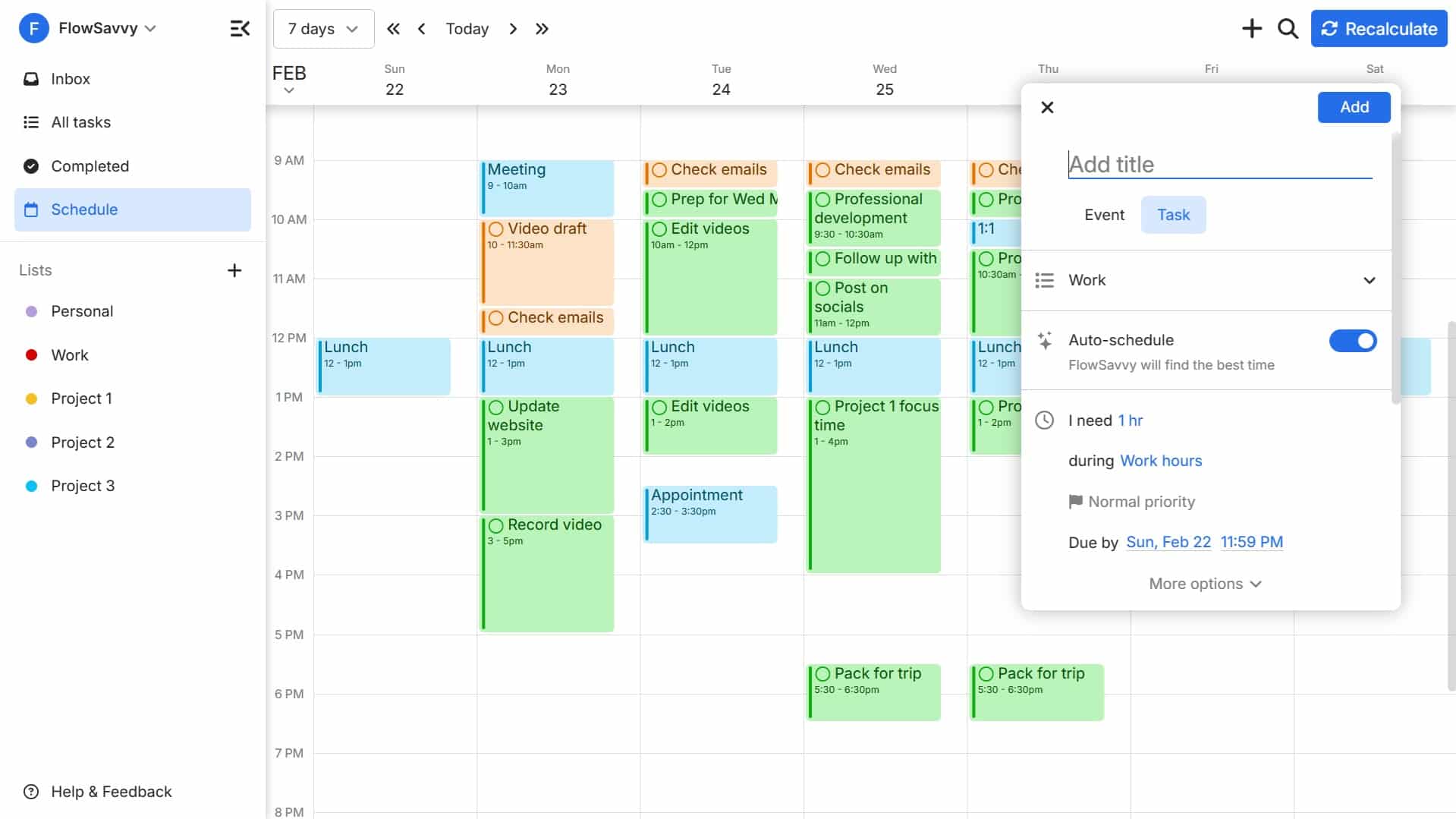
Predictive scheduling takes AI a step further. It’s about your calendar learning your habits and proactively blocking out time for focused work, travel, or even personal commitments. Tools are now able to analyze your past behavior – when you typically schedule meetings, when you’re most productive, even when you tend to take breaks – and use that information to optimize your schedule.
This can be incredibly helpful for those who struggle with time blocking or find themselves constantly interrupted. The calendar essentially anticipates your needs before you even realize them, protecting your time and helping you stay on track. However, I wonder if this approach works equally well for everyone. Highly structured individuals might benefit more than those who prefer a more flexible approach.
These tools need a lot of data to work. You should check what's being collected and how it's used before handing over your entire schedule. Transparency from providers is the only way to build real trust here.
- Read the privacy policy before you hit accept.
- Understand what data is being collected and how it's used.
- Adjust your privacy settings to limit data sharing if desired.
Current syncing solutions
Several platforms are already integrating AI into their calendar features. Google Calendar, unsurprisingly, is at the forefront, with features like Smart Compose for event descriptions and suggested meeting times. Apple Calendar is also making strides, with improved natural language processing for event creation and integration with Siri for voice scheduling. I've found Google's suggestions to be generally accurate, but sometimes miss the mark when dealing with complex travel itineraries.
For those managing vacation rentals, syncing calendars with Airbnb and VRBO is essential. While these platforms don’t directly offer AI-powered scheduling, they rely on seamless syncing with Google Calendar and iCal to prevent double-bookings. Calendar Geek has extensive resources dedicated to navigating these integrations, which are often more complex than they appear.
Specialized tools like Motion focus entirely on automated scheduling and time blocking. They are worth a look if you want a dedicated AI solution, but no system is perfect. I still find myself reviewing the suggested blocks to make sure they actually make sense for my day.
The integration isn’t always flawless. Often, these AI features work best when used within a single ecosystem. Getting true interoperability between different platforms remains a challenge.
iCal in an AI world
Despite the rise of AI, iCal remains surprisingly relevant. It’s still the universal translator for calendar data, allowing different platforms to communicate and share events. Many AI-powered tools leverage iCal as a common denominator to sync with less-common calendar systems or to provide a backup in case of API outages.
However, iCal’s limitations are also apparent. It lacks the advanced features offered by modern calendar apps, such as natural language processing, intelligent suggestions, and contextual awareness. AI tools often work around these limitations by adding their own layer of intelligence on top of the iCal data. They might parse event descriptions to extract relevant information or use machine learning to predict attendee availability.
At Calendar Geek, we often advise users to maintain a solid understanding of iCal, even as they embrace AI-powered tools. It’s a valuable skill for troubleshooting syncing issues and ensuring that your calendar data is always accessible. It’s the underlying foundation that keeps everything connected.
- Export your calendar as an iCal file every month.
- Keep a backup copy of your iCal file in a safe place.
- Familiarize yourself with iCal import/export procedures.
What to expect by 2026
By 2026, I expect AI to become even more deeply integrated into our calendars. We’ll likely see more proactive scheduling, with AI handling entire workflows – not just meetings, but also travel arrangements, task assignments, and follow-up reminders. The line between calendar and project management will continue to blur.
Voice control is also likely to become more prevalent. Imagine simply telling your calendar to “schedule a meeting with John next week” and having it automatically find a suitable time and send out invitations. This will require significant advancements in natural language processing, but the technology is already showing promise.
Ultimately, AI is a tool. Its effectiveness will depend on how we use it. It has the potential to save us time, reduce stress, and improve our productivity, but only if we approach it with awareness and caution. I suspect we'll see a stronger push for integration with other productivity apps – Slack, Microsoft Teams, Asana, and the like – creating a truly unified workflow experience. The next few years will be fascinating to watch.
No comments yet. Be the first to share your thoughts!