

The shift toward active scheduling
Calendar management isn’t what it used to be. For years, we’ve relied on syncing calendars across devices, a helpful but ultimately passive solution. Now, artificial intelligence is stepping in, moving beyond simple scheduling to proactively manage our time. It’s a shift driven by the increasing complexity of modern life – juggling work commitments, personal appointments, family events, and everything in between.
Traditional methods often fall short, leading to double-bookings, missed deadlines, and constant context switching. The feeling of being overwhelmed is common. We spend too much time administering our schedules and not enough time actually living them. AI aims to solve these pain points, automating repetitive tasks and optimizing our time for what truly matters.
This isn’t a distant future; the evolution is happening now. Early AI integrations focused on suggesting meeting times, but we’re already seeing tools that block focus time, automatically reschedule conflicts, and learn our preferences. The goal is to transform the calendar from a static record of events into a dynamic, intelligent assistant.
Tools that actually move your meetings
Several AI-powered scheduling assistants are emerging as powerful alternatives to traditional calendar apps. Tools like Motion, Reclaim.ai, and Clockwise aren't just about finding open slots; they're about strategically allocating your time. They integrate directly with popular calendar platforms like Google Calendar, Microsoft Outlook, and Apple Calendar, but offer a far more proactive approach.
Motion, for example, uses AI to automatically block out focus time based on your task list and priorities. It can reschedule meetings if conflicts arise, considering factors like travel time and meeting importance. Reclaim.ai similarly focuses on time blocking, allowing you to "reclaim" time for habits, tasks, and breaks. It learns your schedule and intelligently protects those commitments. Clockwise takes a different tack, focusing on optimizing team calendars to minimize fragmentation and maximize focus time.
The key difference between these tools and simpler meeting schedulers like Calendly is that they don't just find a time; they find the best time, based on your individual needs and priorities. However, there’s a learning curve involved. You need to teach these tools your preferences and trust them to make smart decisions. It takes time for the AI to truly understand your work style. Initial setup can be more involved than simply sharing a link.
These tools aren't free. Reclaim.ai costs about $12 a month, while Motion is significantly more expensive for teams. You have to decide if saving three hours of admin a week justifies the subscription fee.
- Motion: Best for people who want their task list and calendar merged into one automated view.
- Reclaim.ai: Good for protecting recurring habits like lunch or gym time without manual blocking.
- Clockwise: Optimizes team calendars for focus time and collaboration.
AI-Powered Calendar Management Tools: A Comparative Overview (2026)
| Integration Support | Focus Time Blocking | Automatic Rescheduling | Priority Management | Price |
|---|---|---|---|---|
| Google, Outlook, Apple - generally strong support across platforms, but nuanced differences in feature parity exist. | Advanced - excels at intelligently protecting focus time based on habits and tasks. Offers a high degree of customization. | Yes - sophisticated rescheduling capabilities, considering meeting importance and deadlines. Can be complex to initially configure. | Very Granular - allows for detailed task prioritization and weighting, influencing scheduling decisions significantly. | Price varies based on team size and features. Expect a higher price point than simpler solutions. |
| Google, Outlook, Apple - solid integration, with a focus on Google Workspace. Outlook integration has improved but may lack some features found in the Google version. | Customizable - allows users to define focus time blocks, but requires more manual setup than some competitors. Flexibility is a key strength. | Yes - automatic rescheduling is available, but may be less proactive than Motion or Clockwise, often requiring user initiation. | Moderate - offers task prioritization, but control is less detailed than Motion. Relies heavily on habit learning. | Offers multiple tiers, with a free plan available with limited features. Paid plans are competitively priced. |
| Google, Outlook, Apple - strong integration with all major platforms. Known for seamless syncing and minimal configuration issues. | Basic - primarily focuses on finding optimal times for meetings, with less emphasis on proactively blocking focus time. Simpler to use. | Yes - automatic rescheduling is a core feature, but focuses primarily on resolving meeting conflicts rather than optimizing for deep work. | Basic - prioritization is primarily based on meeting attendance and deadlines. Limited ability to influence scheduling based on task importance. | Generally positioned as a more affordable option, with pricing based on the number of users. |
Illustrative comparison based on the article research brief. Verify current pricing, limits, and product details in the official docs before relying on it.
Smart Syncing: Resolving Calendar Conflicts
Keeping calendars synchronized across multiple platforms is a perennial challenge. Traditional syncing often results in conflicts, especially when dealing with shared calendars or overlapping events. AI is stepping in to intelligently resolve these conflicts, going beyond simple "first come, first served" logic.
Some tools can now understand the context of calendar events. For instance, they might recognize a "doctor’s appointment’ as non-negotiable, while a ‘casual coffee" could be easily rescheduled. This contextual awareness allows the AI to suggest appropriate resolutions, minimizing disruption and maximizing efficiency. This is a significant improvement over basic syncing, which treats all events equally.
Syncing between Google and Outlook is still a mess. New tools flag these conflicts before they happen rather than just letting them sit there. If you're seeing weird behavior, checking the raw iCal data is usually the only way to see which app is actually breaking the sync.
Handling recurring events and time zone differences adds another layer of complexity. AI can now intelligently adjust recurring events when conflicts arise, ensuring that future instances are also updated correctly. It can also automatically convert meeting times to the appropriate time zone for each attendee, eliminating confusion and potential errors.
Context-Aware Scheduling: Understanding Your Day
The most advanced AI calendar tools go beyond simply scheduling meetings; they strive to understand your day. They analyze your calendar, emails, and potentially other data sources to infer your priorities and preferences. This context is then used to suggest optimal meeting times, automatically decline irrelevant invitations, and even prepare you for upcoming meetings.
Imagine an AI that learns you are most productive in the mornings and automatically blocks off that time for focused work. Or one that notices a pattern of declining invitations from a particular sender and proactively filters those requests. This level of personalization requires access to a significant amount of personal data, raising ethical considerations. Users need to be comfortable with the trade-off between convenience and privacy.
AI can also learn your travel patterns to avoid scheduling meetings during your commute or to suggest optimal travel times. It might even factor in weather conditions or traffic congestion when making scheduling decisions. This proactive approach can save you valuable time and reduce stress. However, the accuracy of these predictions depends on the quality and completeness of the data.
AI & Calendar Sharing: Collaboration Reimagined
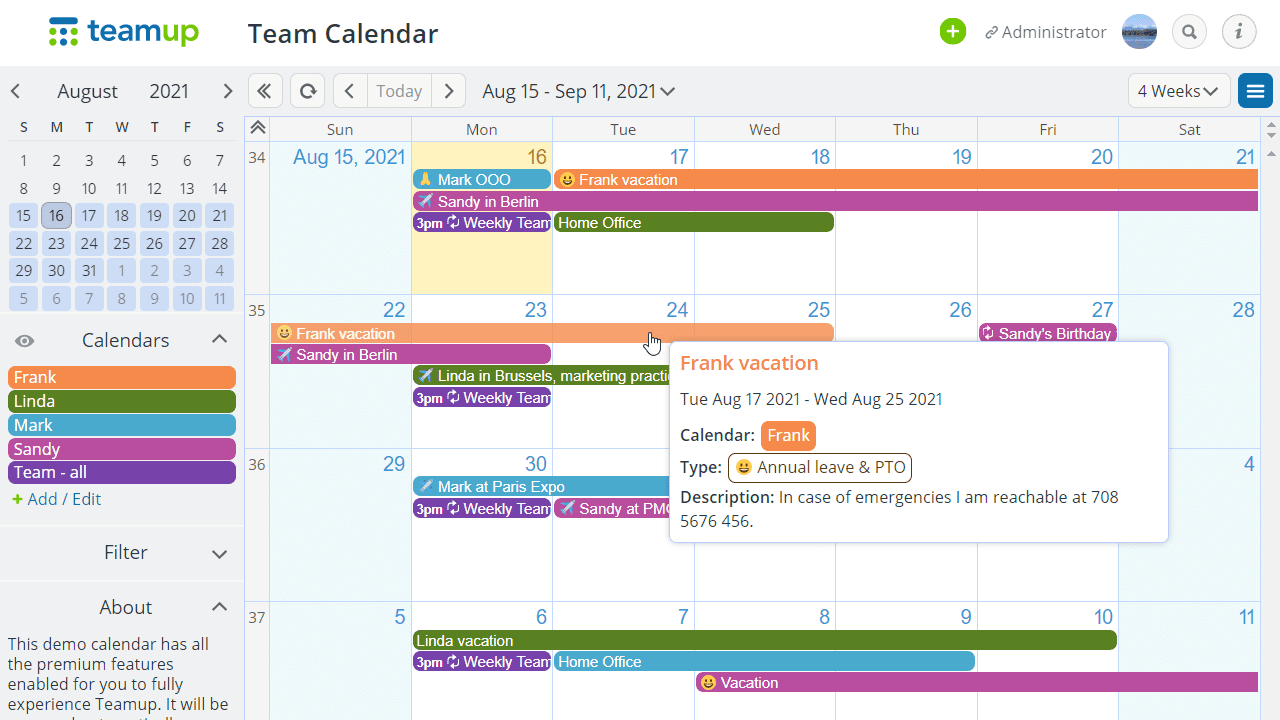
AI is also changing the way we share calendars with others, making collaboration more seamless and efficient. Features like intelligent availability suggestions can help teams quickly find mutually convenient meeting times, minimizing back-and-forth emails. Automated meeting summaries can capture key discussion points and action items, ensuring everyone is on the same page.
Proactive conflict detection is another valuable benefit. AI can identify potential scheduling conflicts when planning group meetings, alerting organizers to potential issues before they arise. This can prevent double-bookings and wasted time. AI can also help manage permissions, ensuring that sensitive information is only shared with the right people.
The potential for AI to facilitate asynchronous collaboration is particularly exciting. Imagine an AI that can analyze meeting recordings and create personalized summaries for team members who couldn’t attend. Or one that can automatically schedule follow-up tasks based on meeting discussions. Shared calendars are already essential for teams and families, and AI is poised to make them even more powerful.
The limits of automation
Looking ahead to 2026 and beyond, the future of AI-powered calendar management is full of possibilities. We can expect to see advancements in predictive scheduling, where AI anticipates your future needs and proactively blocks off time for important tasks. Integration with other AI assistants, like Siri, Alexa, and Google Assistant, will become more seamless.
Personalized calendar recommendations will also become more common, with AI suggesting optimal times for different types of activities based on your individual preferences and energy levels. We might even see AI-powered calendar coaching, offering personalized tips on how to improve your time management skills. However, data privacy concerns will remain a key challenge.
There's also a risk of over-reliance on AI. We need to be careful not to let AI make all our scheduling decisions for us. It’s important to maintain a level of human oversight and critical thinking. The goal is to augment our abilities, not replace them. While specific timelines are uncertain, the trend towards more intelligent and automated calendar management is clear.
What's the biggest challenge you face with calendar management today?
As AI-powered calendar tools continue to evolve in 2026, we want to know where you struggle most. Your response helps us focus on the topics and solutions that matter to you. Vote below!
No comments yet. Be the first to share your thoughts!