

The shift from tracking to managing
For decades, calendars were about recording commitments. Appointments, meetings, birthdays – a digital version of wall planners. Google Calendar, Apple Calendar, and Outlook Calendar have long dominated this space, offering reliable ways to track time. But something is shifting. People aren’t just looking for a place to put their time; they want help managing it.
The biggest change we’re seeing now, and it’ll be even more pronounced by 2026, is the integration of artificial intelligence. It’s no longer enough for a calendar to simply remind you of an event. Users want proactive suggestions, automated scheduling, and assistance in optimizing their day. This isn't about replacing calendars, but augmenting them with smart capabilities.
We're moving toward a world where the calendar anticipates our needs. Consider the increasing demands on people’s time – the constant stream of meetings, the pressure to be “always on”. Traditional calendars require significant manual effort to maintain. People are increasingly willing to trade a degree of control for a reduction in that effort, and that’s driving the demand for AI-powered solutions.
The trend is clear: calendars are becoming less about what happens and more about how it happens. The focus is shifting from data entry to intelligent automation. By 2026, I expect AI to be a standard feature, not a niche add-on, in most calendar applications. The question isn’t if AI will transform calendar management, but how.
Where standard apps fall short
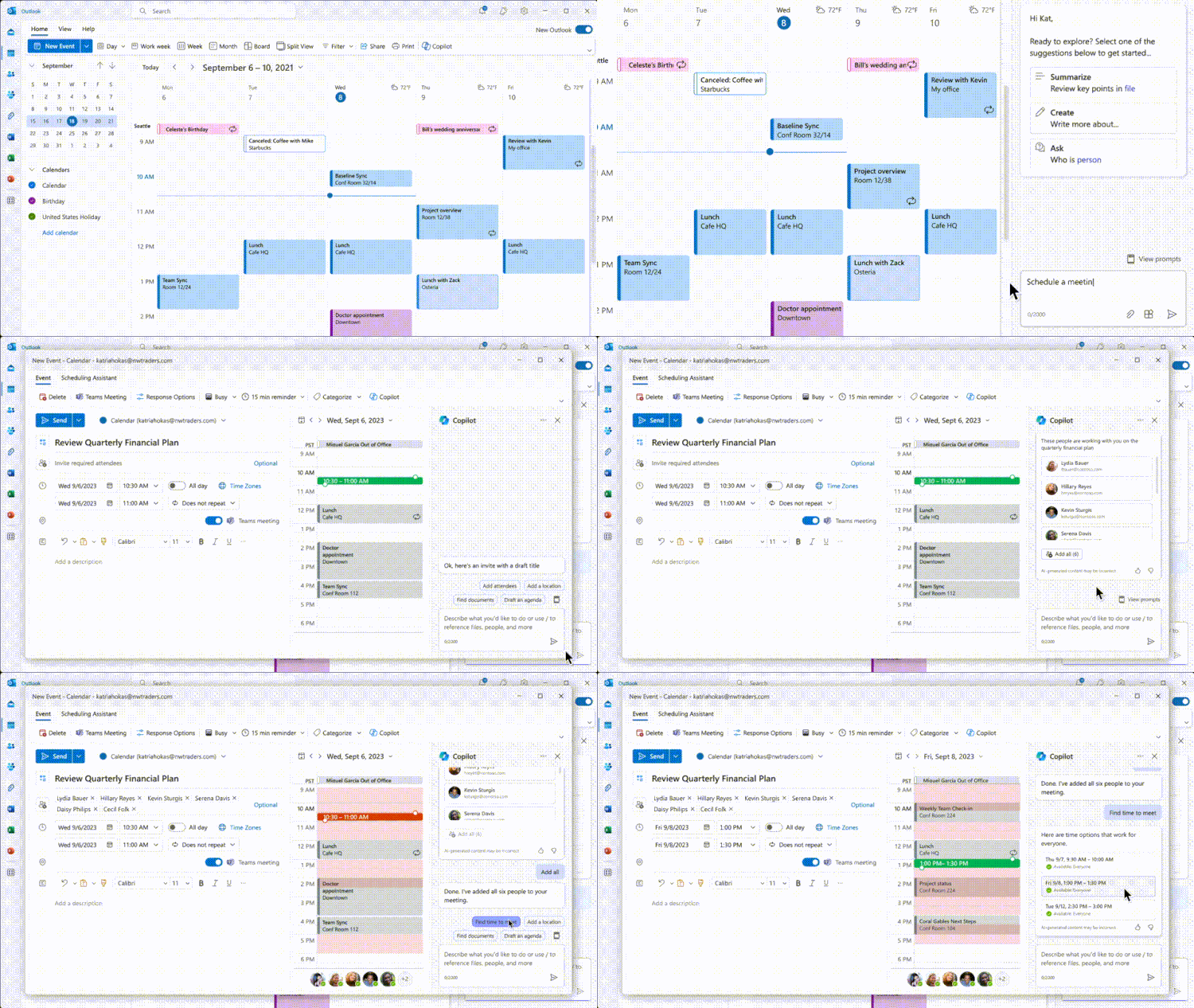
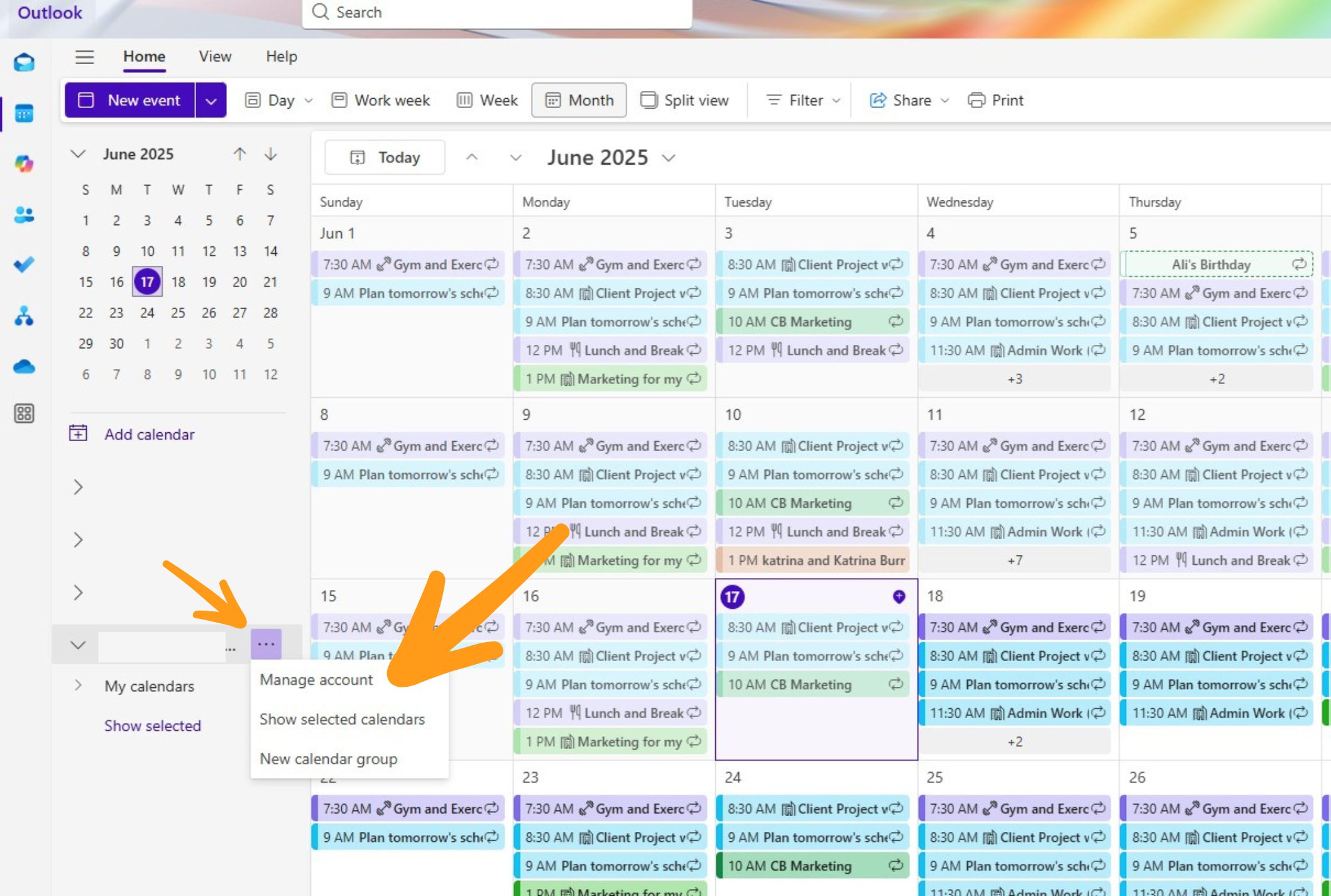
Google, Apple, and Outlook aren't going anywhere. They handle the basics—reminders, syncing, and invites—perfectly. Google is the obvious choice if you live in Gmail, while Apple's app is built for speed on an iPhone. They are reliable, but they are passive.
Outlook Calendar, deeply embedded in the Microsoft 365 suite, is a natural choice for businesses heavily invested in that platform. It offers robust features for scheduling meetings with colleagues, managing resources, and integrating with email. However, all three apps share some common weaknesses when it comes to truly managing time.
One major pain point is the mental effort required to proactively manage a busy schedule. Resolving conflicts, finding optimal meeting times, and accounting for travel time often involve a lot of manual back-and-forth. These apps generally require you to tell them when things happen, rather than intelligently suggesting the best time based on your priorities and constraints.
Consider the experience of scheduling a meeting with multiple people across different time zones. While these apps offer some assistance, the process still feels clunky and time-consuming. The user is largely responsible for identifying available slots and coordinating with attendees. This is where AI assistants are starting to offer a significant advantage. They can automate much of this process, saving users valuable time and reducing frustration.
How AI layers work
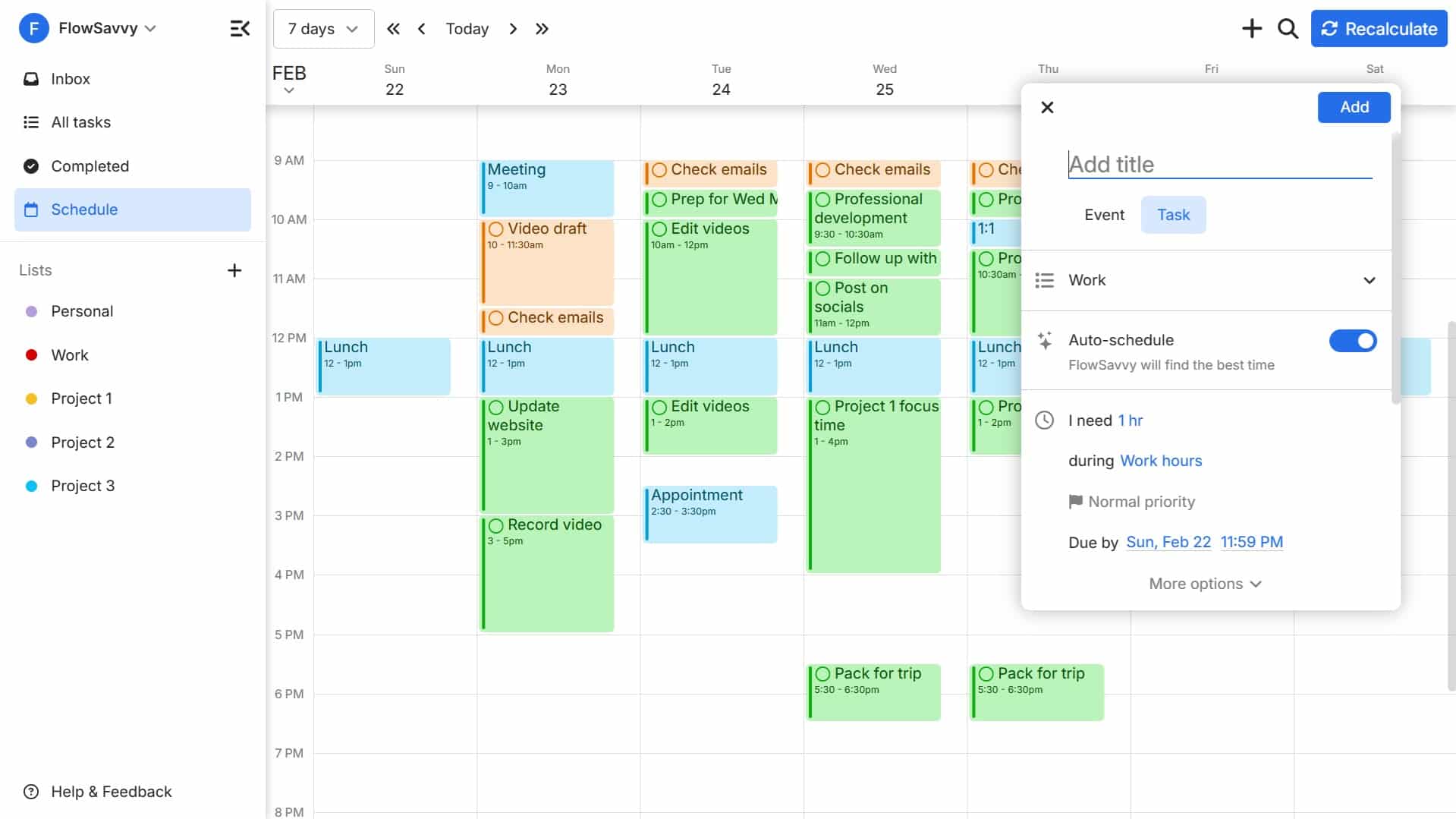
AI calendar assistants like Motion, Reclaim.ai, and Clockwise are designed to address the limitations of traditional calendars. These tools leverage machine learning and natural language processing to automate scheduling tasks and optimize time management. They aren’t replacements for your calendar, but rather intelligent layers that sit on top of it.
Reclaim.ai, for example, allows you to block off time for specific activities – like focused work, exercise, or personal commitments. It then intelligently protects that time, rescheduling meetings automatically when conflicts arise. Motion focuses on automating the entire meeting scheduling process, finding the best time for everyone involved and handling all the coordination.
Clockwise takes a different approach, analyzing your calendar to identify patterns and suggest ways to optimize your schedule. It can automatically reschedule meetings to create longer blocks of uninterrupted focus time. These assistants aren’t just reacting to your schedule; they are proactively trying to improve it.
Specifically, they automate meeting scheduling by analyzing attendees’ availability and proposing optimal times. They perform time blocking, carving out dedicated slots for specific tasks. They optimize travel time, factoring in traffic and distance when scheduling meetings. They detect conflicts, identifying overlapping appointments and suggesting alternative times. And, importantly, they offer intelligent rescheduling, automatically adjusting your schedule when unexpected events occur.
- Finding meeting times without the email back-and-forth
- Time blocking for focused work
- Travel time optimization
- Conflict detection and resolution
- Intelligent rescheduling
AI Calendar Assistants vs. Traditional Calendar Apps (2026)
| AI Assistant | Proactive Scheduling | Conflict Resolution | Integration with Existing Calendars | Learning Curve |
|---|---|---|---|---|
| Motion | Excellent - Automatically schedules tasks and meetings based on priorities. | Very Good - Intelligent rescheduling when conflicts arise, considers task deadlines. | Good - Integrates well with Google, Outlook, and Zoom. | Moderate - Requires initial setup and defining priorities. |
| Reclaim.ai | Excellent - Blocks time for habits, tasks, and breaks alongside meetings. | Good - Offers options to automatically resolve conflicts or suggest alternatives. | Good - Strong Google Calendar and Microsoft 365 integration. | Moderate - Some users report a learning curve in defining habits and time allocations. |
| Clockwise | Good - Focuses on optimizing team calendars for fewer interruptions. | Fair - Primarily focuses on suggesting optimal meeting times within existing constraints. | Good - Designed for seamless integration with Google Workspace. | Fair - Best suited for teams already using Google Workspace. |
| Doodle | Fair - Simplifies meeting scheduling by finding common availability. | Limited - Primarily relies on user input to resolve conflicts. | Good - Integrates with popular calendar platforms. | Easy - Very intuitive and straightforward to use. |
| x.ai (Amy/Andrew) | Good - Uses natural language processing to schedule meetings via email. | Fair - Relies on email communication for conflict resolution; can be slower. | Good - Works with Google Calendar, Outlook, and Office 365. | Easy - Simple email-based interaction. |
| Traditional Calendar Apps (Google/Apple/Outlook) | Limited - Primarily manual scheduling; minimal proactive suggestions. | Fair - Offers basic conflict detection and suggestions for alternative times. | Excellent - Native integration within the same ecosystem. | Easy - Most users are already familiar with the interface. |
Qualitative comparison based on the article research brief. Confirm current product details in the official docs before making implementation choices.
Privacy and Security Concerns
Handing your schedule over to an AI means giving it your meeting notes, attendee lists, and private locations. I'm always wary of how this data is used to train models. You have to check if they're selling your habits to third parties or just using them to fix their own code.
Most AI calendar assistants claim to prioritize user privacy and employ robust security measures. However, it’s essential to read their privacy policies carefully and understand their data handling practices. Some may use your data to improve their algorithms, while others may share it with third-party partners.
The risk of data breaches is also a concern. While reputable AI assistants invest heavily in security, no system is completely immune to attack. It’s important to choose a provider with a strong track record and a commitment to data protection. Multi-factor authentication and end-to-end encryption are essential features to look for.
Ultimately, there’s a trade-off between convenience and privacy. Users must weigh the benefits of AI-powered scheduling against the potential risks to their data. Transparency and control are key. Users should have the ability to easily access, modify, and delete their data.
- Review the provider's privacy policy.
- Enable multi-factor authentication.
- Check for end-to-end encryption
- Understand data handling practices.
The struggle with fragmented tools
One of the biggest hurdles facing AI calendar assistants is integration. The calendar ecosystem is fragmented, with different apps, email clients, and productivity tools often operating in silos. Seamless integration is essential for a positive user experience, but it’s not always easy to achieve.
Compatibility issues can arise when trying to connect an AI assistant to a specific calendar app or email client. Some assistants may only support certain platforms, while others may have limited functionality with certain integrations. This can force users to switch between different apps or manually sync their calendars.
Open APIs are crucial for enabling seamless integration. An API (Application Programming Interface) allows different software applications to communicate with each other. The more open and well-documented an API is, the easier it is for developers to integrate their tools with other platforms.
I suspect integration will be a major battleground for market share in the coming years. The AI calendar assistant that can offer the most seamless and comprehensive integration with existing tools will have a significant advantage. Users want a solution that fits into their existing workflow, not one that disrupts it.
Top AI Calendar Assistants to Watch (2026)
Predicting the future is always tricky, but based on current trends, here are a few AI calendar assistants to watch in 2026. These aren’t necessarily the “best” overall, but they represent promising approaches to AI-powered calendar management.
Reclaim.ai continues to be a leader, refining its time blocking and habit stacking features. Their focus on protecting your time and automating rescheduling makes it a strong choice for individuals and teams. Pricing is tiered, starting around $12 per month for individuals.
Motion stands out with its fully automated scheduling capabilities. It handles everything from finding optimal meeting times to sending out invitations and managing RSVPs. Motion is geared towards busy professionals and executives who want to delegate scheduling entirely. Pricing is higher, starting around $24 per month.
Clockwise is evolving beyond simple schedule optimization to offer more proactive time management features. Their focus on team coordination and reducing meeting load makes it a valuable tool for businesses. Clockwise offers both individual and team plans, with pricing varying based on the number of users.
These assistants are constantly evolving, and new players are emerging. The key will be to see which ones can successfully address the integration challenges and deliver a truly seamless and valuable user experience.
Featured Products

AI-powered workflow automation · Task elimination for time savings · Designed for beginner users
This AI assistant aims to automate repetitive tasks and streamline workflows, offering a glimpse into future calendar management efficiency.

Comprehensive catalog of timekeeping devices · Focus on office clocks, regulators, and synchronizers · Reprint edition for historical reference
While not a direct calendar management tool, this historical catalog provides context on the evolution of timekeeping and synchronization technologies relevant to scheduling.

15.6-inch interactive touchscreen display · Functions as a wall planner and chore chart · Smart organization for family schedules
This digital calendar offers a modern, interactive approach to traditional scheduling, integrating family routines and chore management on a large display.

Themed wall calendar for 2008 · Features content from Arthur Spiderwick's · Decorative and collectible item
This is a themed decorative calendar from a past year and does not represent current or future calendar management technology.

Ergonomic wireless mouse · Ultra-fast scrolling and 8K DPI tracking · Quiet clicks and multi-device connectivity
A high-performance mouse like this can enhance productivity when interacting with both traditional calendar apps and AI-driven scheduling interfaces.
As an Amazon Associate I earn from qualifying purchases. Prices may vary.
No comments yet. Be the first to share your thoughts!