

The shift from digital paper to proactive managers
For decades, digital calendars were largely about digitization – moving appointments from paper planners to screens. Early versions, like those in Outlook and Lotus Notes, offered syncing and reminders, but the core experience remained reactive. You told the calendar what to do. Now, that’s changing. AI is shifting calendars from passive record-keepers to proactive time managers.
We’re seeing a move beyond simply avoiding double-bookings. The newest tools aren’t just scheduling for you; they’re scheduling with you, considering your habits, priorities, and even energy levels. This evolution isn’t sudden. The groundwork was laid by increasingly sophisticated algorithms for conflict detection and travel planning, but the real leap comes from machine learning’s ability to understand – and adapt to – individual user behavior.
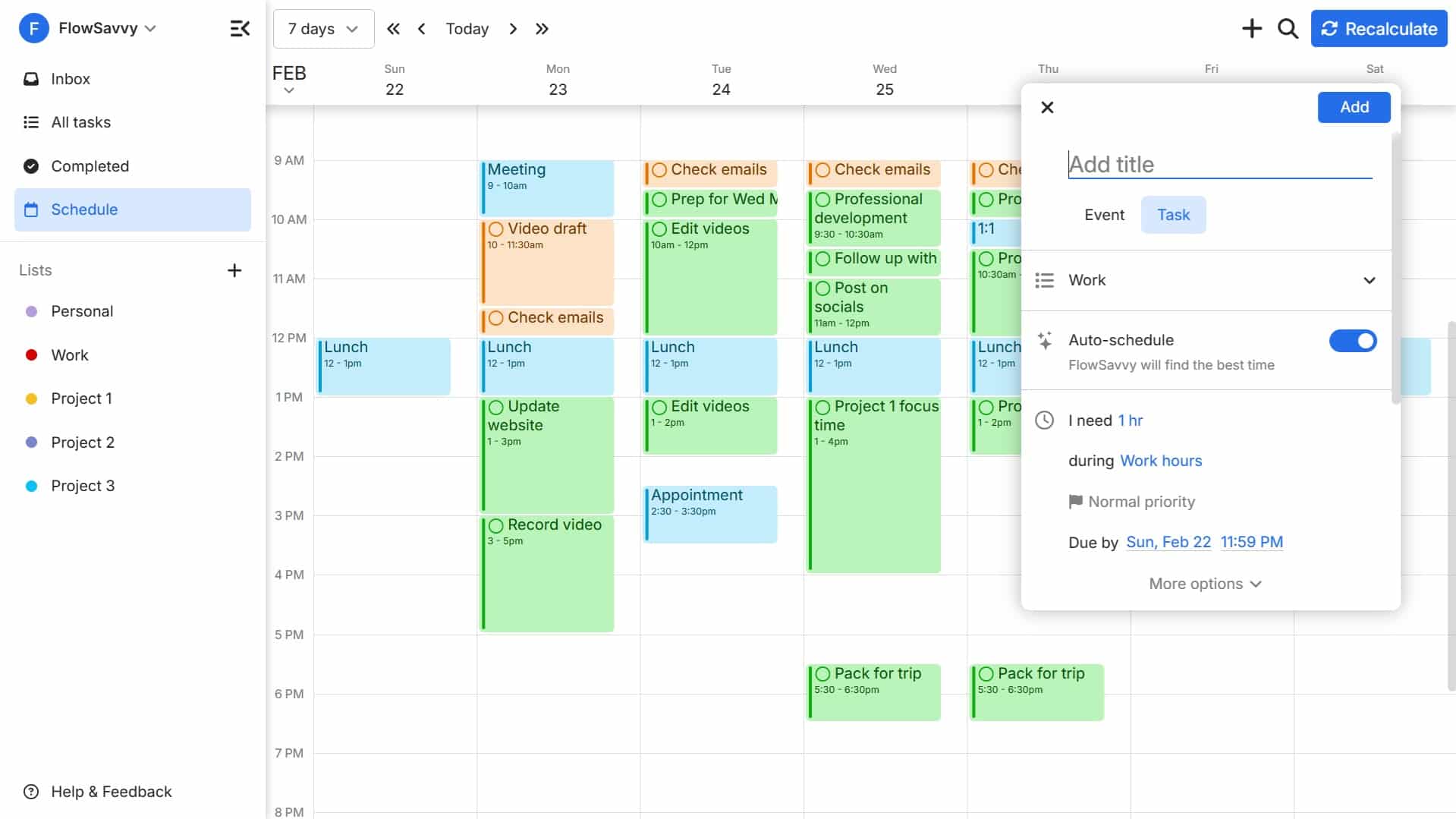
This isn’t just about convenience, although that’s a big part of it. AI-powered calendars promise to optimize how we use our most limited resource: time. They can automatically block out focus time, suggest optimal meeting times, and even reschedule tasks based on changing priorities. It’s a fundamental shift in how we relate to our schedules, moving from a system of constraint to one of support.
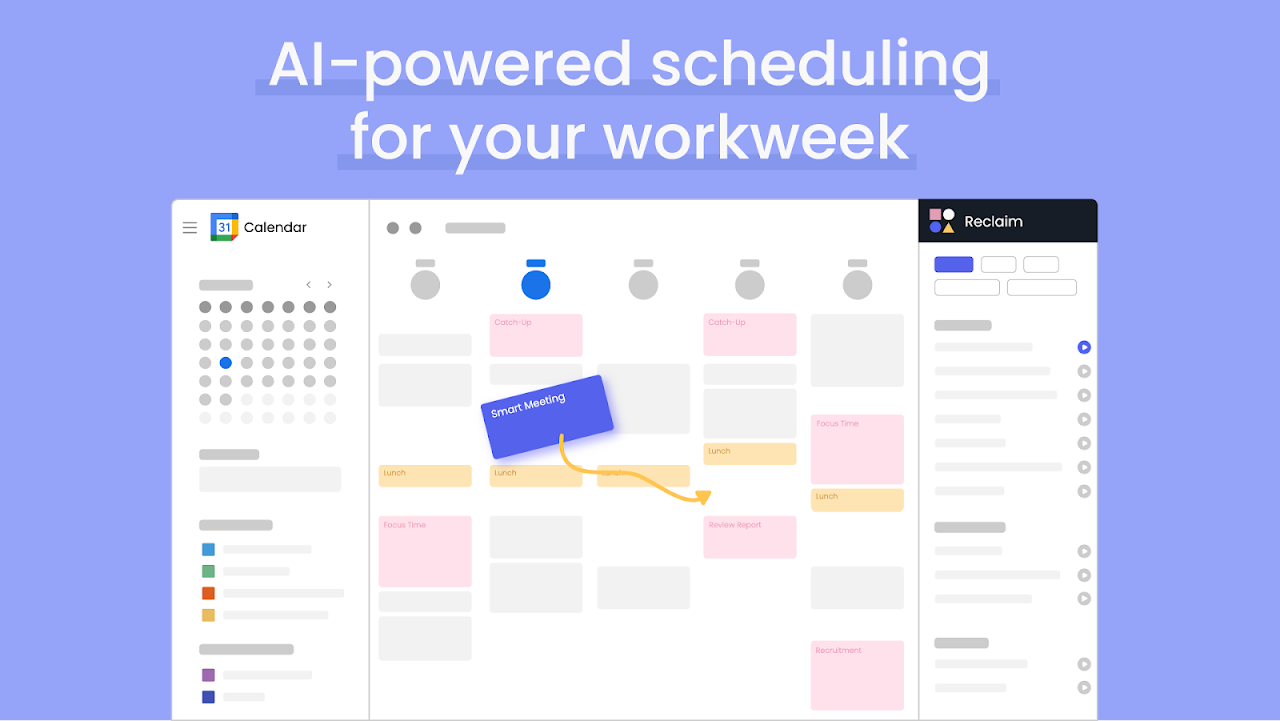
Reclaim.ai and automated time blocking
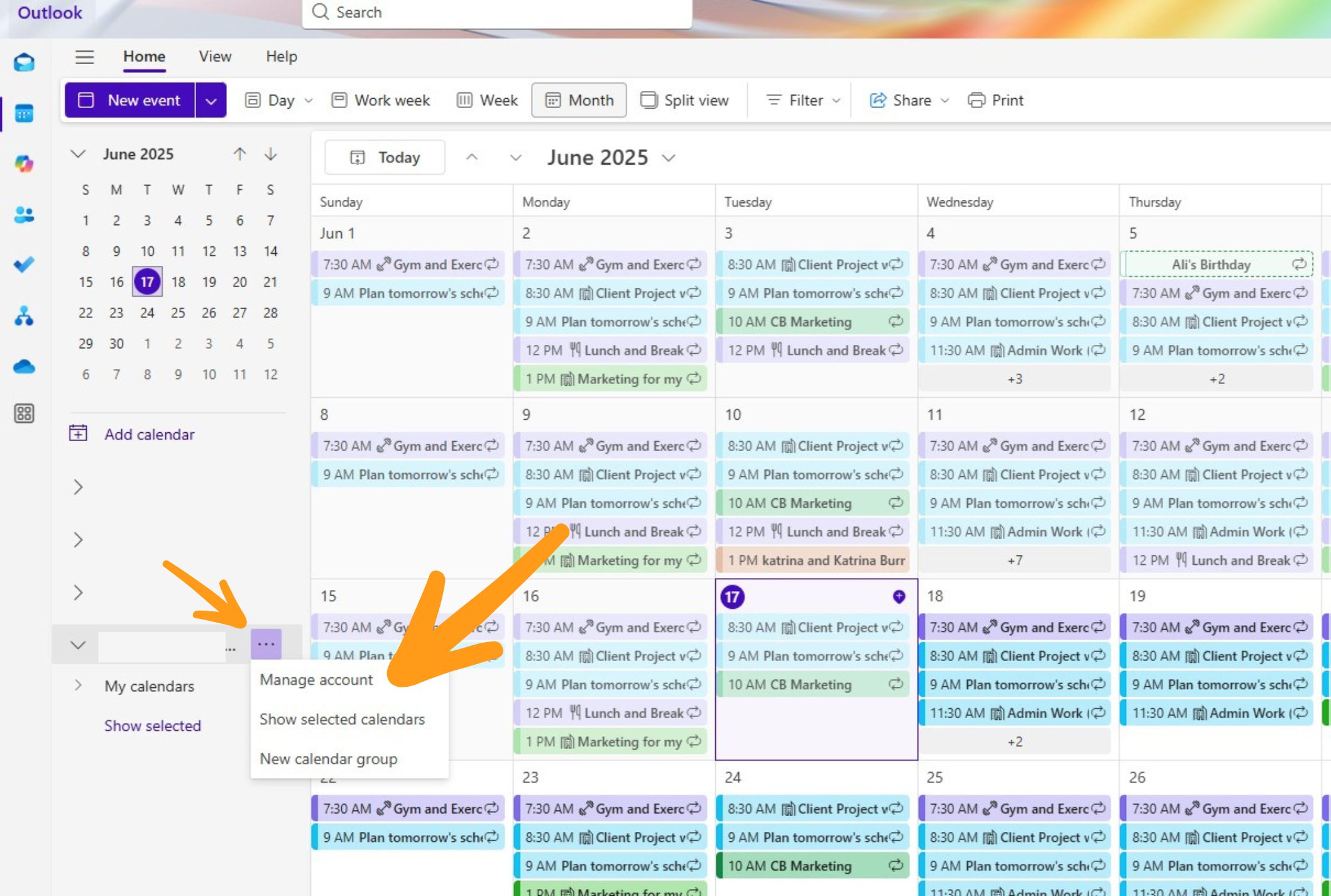
Reclaim.ai stands out as a leader in the AI-powered time blocking space. It doesn’t replace your existing calendar – Google Calendar, Apple Calendar, and Microsoft Outlook are all supported – but rather layers intelligence on top of it. The core idea is to "reclaim" your time by automatically scheduling tasks, habits, and breaks alongside meetings.
The platform’s strength lies in its ability to define "protected time.’ You tell Reclaim.ai what"s important – a daily workout, focused writing time, or even a regular coffee break – and it actively defends that time from being overwritten by other commitments. This is a significant departure from traditional calendars where everything feels equally negotiable.
Reclaim.ai handles complex constraints remarkably well. It can intelligently reschedule blocked time around meetings, considering travel time, buffer periods, and your personal preferences. It also allows for flexible rescheduling – if you consistently skip a scheduled task, the AI learns and adjusts accordingly. What’s particularly clever is its ability to handle collaborative scheduling, suggesting times that work for everyone involved.
While Reclaim.ai offers a free plan, its full power is unlocked with a paid subscription. As of late 2026, pricing starts around $12 per month, billed annually, but varies based on the number of calendars synced and features needed. The investment feels justified given the potential productivity gains.
AI assistants for meeting coordination
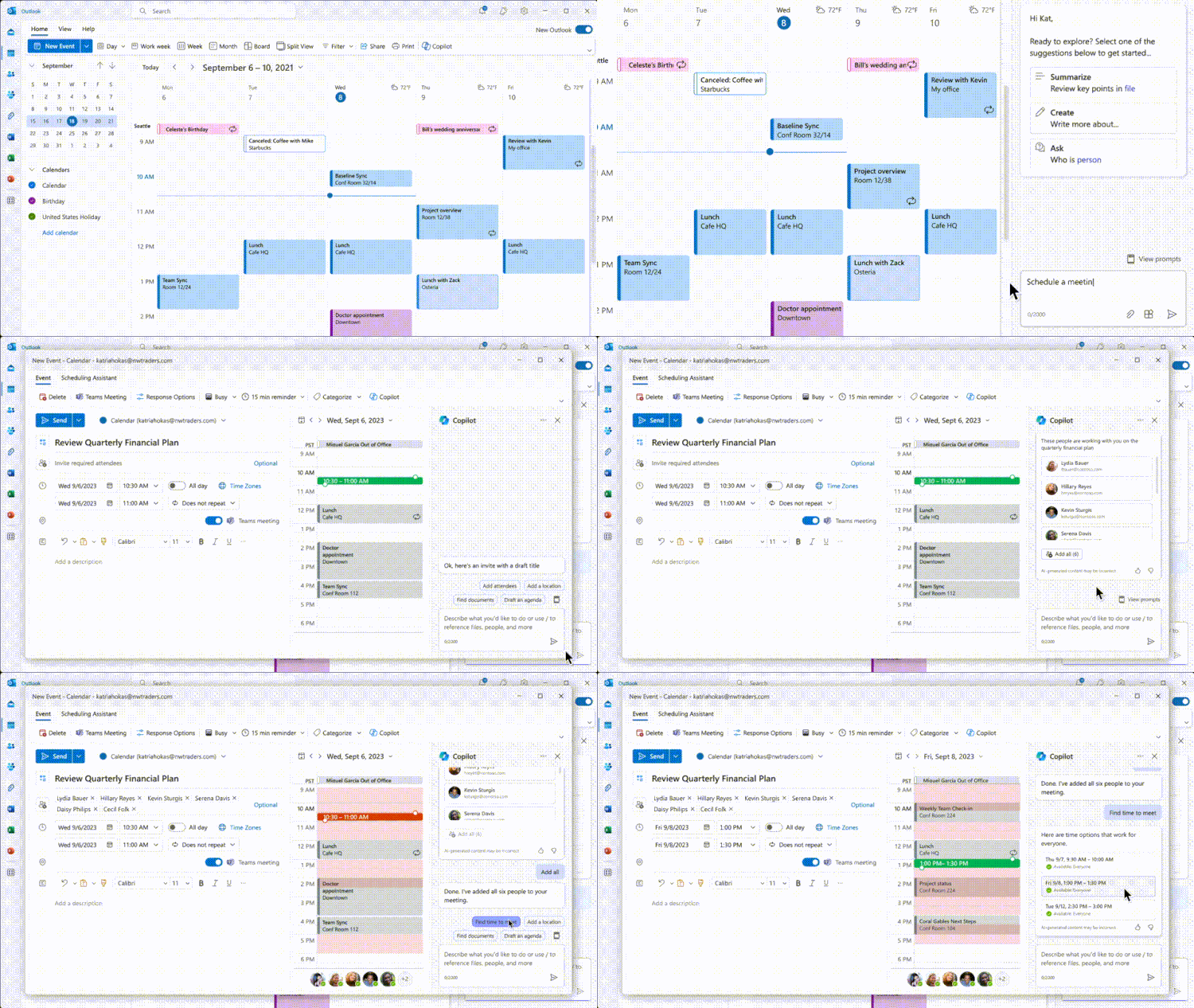
Beyond individual time management, AI is revolutionizing how we schedule meetings. Tools like x.ai and Clockwise (though Reclaim.ai is rapidly encroaching on their territory) automate many of the tedious aspects of the process, from finding mutually available times to generating meeting links.
These tools often integrate directly with your calendar, allowing them to access your availability and preferences. They can automatically detect time zones, propose optimal meeting times based on attendee locations, and even handle rescheduling requests. Some platforms go further, analyzing meeting content to suggest relevant attendees or generating summaries of key discussion points.
Sharing your schedule means handing over personal data. Most companies promise security, but you should check their specific collection policies before connecting your primary account. It is a direct trade-off between saving time and maintaining privacy.
- Automatic meeting links to stop the back-and-forth emails.
- Time Zone Detection: Automatically adjusts meeting times for attendees in different locations.
- Conflict Resolution: Identifies and suggests alternative times when conflicts arise.
AI-Powered Calendar Solutions
- Automated Scheduling - Tools like Motion automatically find the best meeting times for attendees, considering their existing commitments and preferences, reducing back-and-forth emails.
- Intelligent Time Zone Management - Reclaim handles time zone conversions and suggests meeting times that are reasonable for all participants, regardless of location. It also blocks focus time to prevent scheduling conflicts.
- Meeting Summarization & Action Item Extraction - Fireflies.ai integrates with video conferencing platforms and uses AI to transcribe meetings, summarize key points, and identify action items, which can then be added as tasks to your calendar or to-do list.
- Contextual Calendar Suggestions - Clockwise optimizes your calendar for focus time and team collaboration, leveraging AI to analyze your work patterns and suggest ideal times for meetings and individual work.
- Automated Rescheduling & Cancellation Handling - x.ai (Amy Ingram) acts as an AI scheduling assistant, handling meeting requests, cancellations, and rescheduling automatically, freeing up your time.
- Predictive Calendar Blocking - SavvyCal learns your preferences and automatically blocks out time for preparation, travel, or follow-up tasks related to scheduled meetings, preventing overbooking.
- Natural Language Processing for Meeting Requests - Calendly, while not solely AI-driven, utilizes natural language processing to understand meeting requests and intelligently suggest available times based on your preferences.
The reality of calendar syncing in 2026
Even with AI, you still need your calendars to talk to each other. Most of us juggle work, personal, and family schedules that don't always sync across Google and Outlook without errors.
The iCal standard has been the backbone of calendar syncing for years, but it has limitations. It’s often slow to propagate changes, and it doesn’t always handle complex recurring events or shared calendars effectively. While improvements are ongoing, it's still prone to occasional hiccups. That’s where tools like Calendar Geek come in.
Calendar Geek provides resources and guidance on managing syncing issues across different platforms. They offer troubleshooting tips, workarounds, and a clear understanding of the underlying technical challenges. The future of calendar syncing likely hinges on the development of more robust and interoperable open standards, but until then, dedicated syncing tools remain invaluable.
Managing short-term rental bookings
For property managers using Airbnb and VRBO, calendar syncing is often a source of major headaches. Double bookings can lead to lost revenue and dissatisfied guests. The fragmented nature of these platforms – each with its own calendar system – makes it difficult to maintain accurate availability.
AI can help automate this process, preventing double bookings and optimizing pricing based on real-time availability. Several tools integrate directly with Airbnb and VRBO, automatically updating calendars and adjusting prices based on demand. These tools can also handle complex rules, such as minimum stay requirements and seasonal pricing.
The benefits are clear: reduced risk of errors, increased revenue, and improved guest satisfaction. While these solutions aren’t perfect, they represent a significant improvement over manual calendar management for short-term rentals.
Data privacy and calendar access
Using AI-powered calendar tools inevitably involves sharing your calendar data with a third party. This raises legitimate privacy and security concerns. It’s crucial to understand how these companies collect, store, and use your data.
Most reputable companies employ encryption to protect your data in transit and at rest. However, it’s still important to review their privacy policies carefully. Pay attention to what data they collect, how they use it, and whether they share it with other parties. Look for companies that offer granular control over your data and allow you to opt out of data collection.
Consider using strong passwords and enabling two-factor authentication to protect your account. Be wary of phishing attempts and other social engineering tactics. Regularly review your calendar permissions to ensure that only authorized individuals have access to your schedule. It's also worth investigating whether the tool complies with relevant data privacy regulations, such as GDPR or CCPA.
- Review Privacy Policies: Understand how your data is collected and used.
- Enable Two-Factor Authentication: Add an extra layer of security to your account.
- Use Strong Passwords: Protect your account from unauthorized access.
- Regularly Review Permissions: Ensure only authorized individuals access your calendar.
Essential Tools for Smart Calendar Management in 2026

A6 size for portability · Daily pages for detailed scheduling · January start and Monday start for a standard calendar year
This planner offers a structured daily layout perfect for detailed note-taking and task management alongside digital AI scheduling.

Large, ruled pages for extensive writing · Durable hard cover for protection · Classic Moleskine design
A classic notebook for jotting down ideas, meeting notes, or reflections that can inform your AI-managed schedule.

Compact mini desk calendar · Covers 2026 to June 2027 · Suitable for home, office, or school
This compact desk calendar provides a quick, at-a-glance overview of your long-term schedule, complementing digital planning.

Explores principles of effectiveness · Focuses on proactive behavior and prioritization · 30th Anniversary Edition
This foundational book offers timeless principles for personal and professional effectiveness that enhance any time management system.
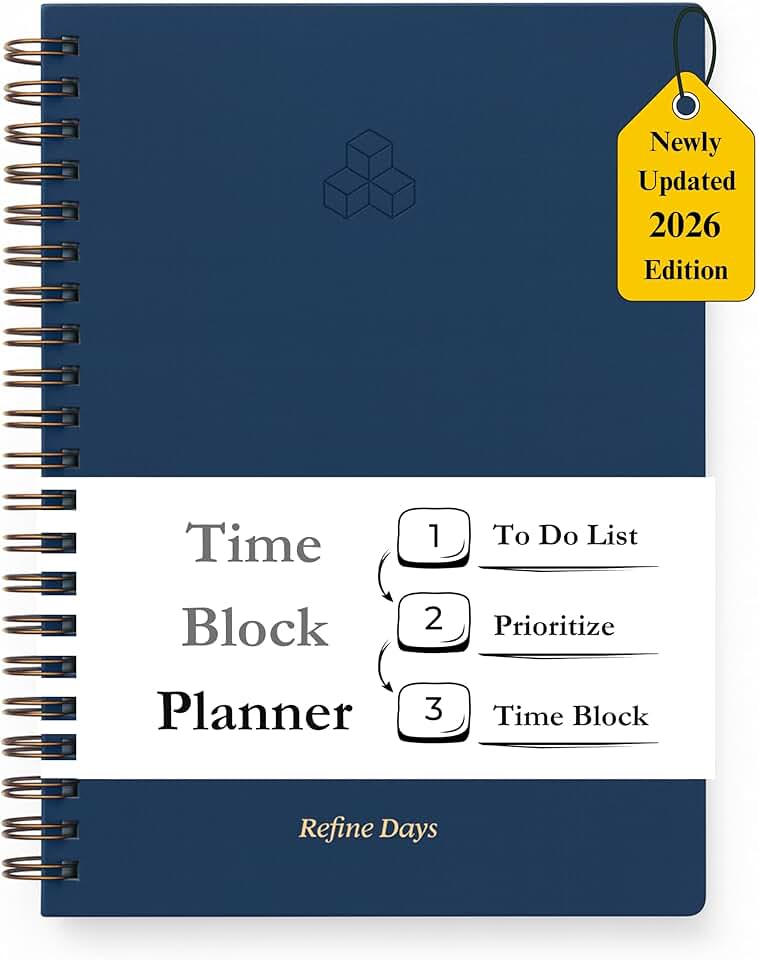
Time blocking and hourly scheduling layout · Includes to-do lists and daily/monthly agendas · A4 size with spiral hardcover
This planner's structured time-blocking format is ideal for detailed daily planning and task breakdown, working in tandem with AI calendar suggestions.
As an Amazon Associate I earn from qualifying purchases. Prices may vary.
No comments yet. Be the first to share your thoughts!