

The AI Calendar Shift: 2026 and Beyond
Digital calendars have long been reactive, serving mainly to record commitments. AI is changing that. We're moving towards calendars that anticipate needs and optimize schedules proactively, rethinking how we allocate our time.
Current AI calendar tools often focus on basic meeting setup, like finding mutual free slots. The real potential lies in AI analyzing broader data—emails, project timelines, communication patterns—to understand work context. This allows for intelligent scheduling that prioritizes tasks and optimizes productivity, not just avoids conflicts.
Integration with productivity tools like Asana or Monday.com is driving this shift. AI can automatically block focused work time based on project deadlines or suggest optimal meeting times based on team workloads. Data privacy and accuracy remain hurdles, but the promise of a seamlessly integrated schedule is strong.
AI calendars will learn individual work habits, understanding peak productivity times, break needs, and interruption likelihood. This will create schedules aligned with personal rhythms for a truly personalized approach to time management.
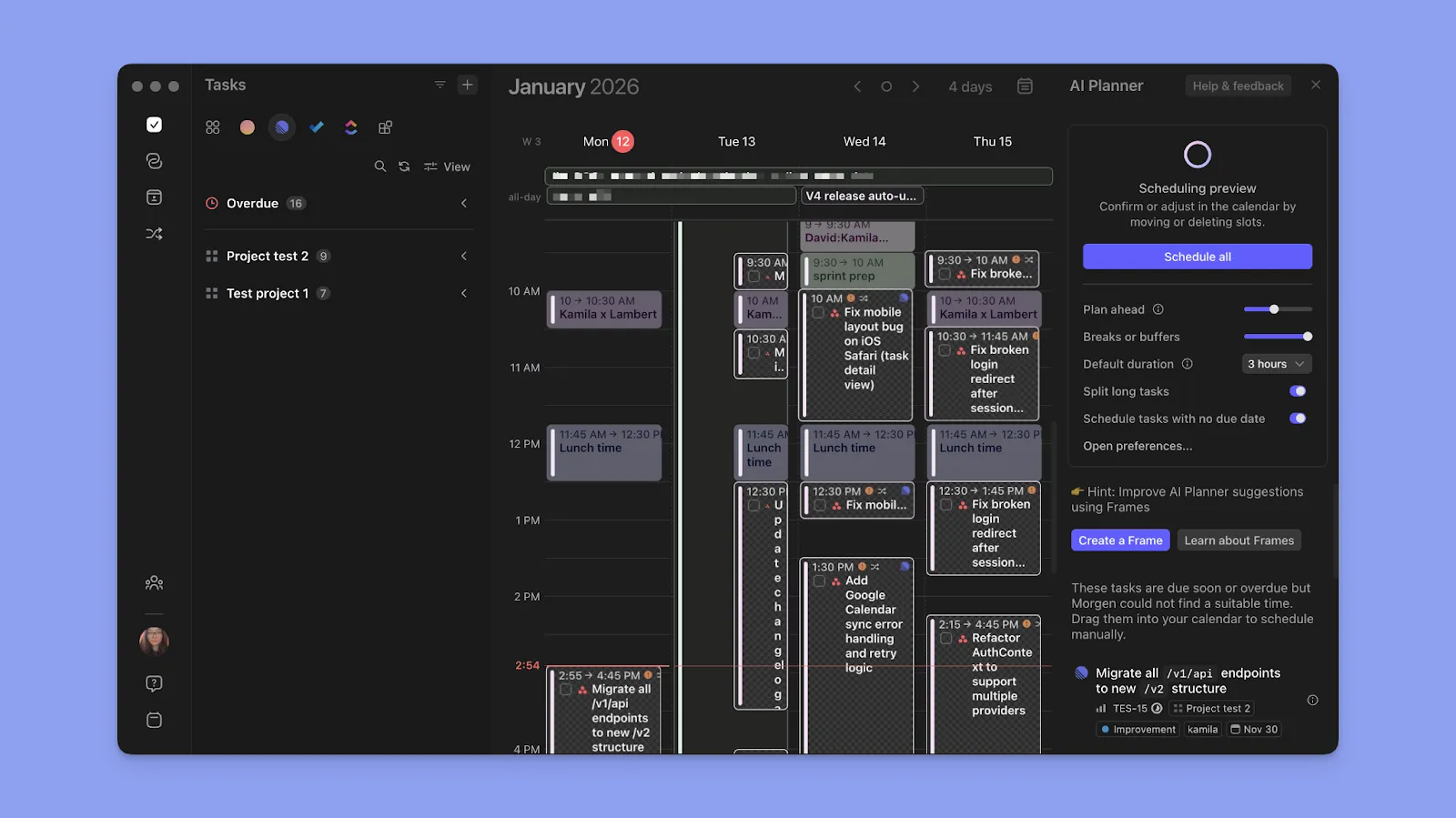
Smart Scheduling: Beyond Meeting Links
Early AI scheduling tools, such as Calendly, focused on simplifying meeting scheduling. The next generation goes beyond sharing availability to understanding the why behind meetings, not just the when.
An AI could analyze email and chat logs to identify recurring meeting topics and suggest agenda items. It could also scan project management tools to understand deliverable status and propose meeting times aligned with deadlines. Reclaim.ai already allows users to define 'habits'—recurring time blocks for focused work, exercise, or personal commitments—and schedules meetings around them.
Context-aware scheduling requires more data, raising privacy concerns. Developers use encryption, anonymization, and user controls to address this. Users must understand what data is collected and how it's used; reviewing privacy policies is essential.
AI can prioritize meeting requests by assessing importance based on sender, topic, and workload. This allows users to focus on critical meetings and decline or reschedule less important ones, regaining control of their schedules.
- Calendly: A popular tool for sharing availability and scheduling meetings.
- Reclaim.ai: Offers habit-based scheduling and integrates with other productivity tools.
- Clockwise: Focuses on optimizing team schedules and reducing meeting fragmentation.
Context-Aware Time Blocking: The Next Level
AI-driven time blocking automates the process, dynamically adjusting schedules based on changing priorities and real-time information. It protects time for focused work, travel, and recovery, unlike manual time blocking which often fails to account for unexpected events.
These tools learn work patterns by analyzing calendar data, email, and activity levels. An AI might block mornings for focused work if that's when you're most productive, or suggest less demanding tasks for afternoons if interruptions are frequent. The goal is a schedule tailored to specific needs.
Handling unexpected interruptions, like urgent requests or last-minute meetings, is a challenge for AI calendars. The best systems will adapt by rescheduling tasks and minimizing disruption, requiring a sophisticated understanding of priorities and quick decision-making.
Buffer time between meetings allows for task transition, preparation, or recharging, significantly impacting productivity and well-being. This helps mitigate the cognitive cost of constant context switching.
- Focused Work Blocks: Dedicated time for deep work, free from distractions.
- Travel Blocks: Automatically calculated travel time to and from meetings.
- Buffer Blocks: Short breaks between meetings to allow for transition and preparation.
- Personal Time Blocks: Time allocated for exercise, meals, or personal commitments.
Syncing the Chaos: Multi-Platform Mastery
Syncing calendars across platforms like Google, Outlook, and Apple remains a challenge due to inconsistent iCal standard implementation, leading to discrepancies. AI tools attempt to improve this, often working around existing system limitations.
Some AI tools act as central hubs, syncing and resolving conflicts across calendars. Others focus on specific platform syncing. Complex scenarios with overlapping events or conflicting time zones can still challenge these tools, leading to errors like disappeared or duplicated appointments.
Data ownership and control are also issues. Using a third-party sync tool grants access to sensitive scheduling information. Choosing a reputable provider with strong security and a clear privacy policy is important; consider the implications before granting access.
While seamless universal calendar sync remains elusive, AI offers incremental improvements. Choose tools compatible with your platforms and monitor calendars for discrepancies. A proactive approach is essential.
Calendar Syncing Methods: A Comparative Overview (2026)
| Method | Reliability | Speed | Complexity | Data Security | Cost |
|---|---|---|---|---|---|
| iCal | Generally reliable for basic read-only syncing; prone to conflicts with frequent updates. | Slower, relies on periodic file transfers. | Low – requires manual import/export or third-party tools. | Dependent on the security of the file transfer method and storage location. | Typically free, though third-party tools may incur costs. |
| Exchange ActiveSync | High reliability, designed for real-time synchronization. | Fast, provides near-instant updates. | Moderate – requires server configuration and account setup. | Strong, utilizes encryption and server-level security protocols. | Often included with Microsoft 365 subscriptions; costs vary based on plan. |
| Google Calendar Sync | High reliability, especially within the Google ecosystem. | Fast, provides quick synchronization. | Moderate – requires account setup and permission granting. | Strong, benefits from Google’s security infrastructure. | Generally free with a Google account; business accounts have associated costs. |
| AI-Powered Syncing Solutions | Potentially very high, as AI can resolve conflicts and predict scheduling needs. | Fast, often utilizes intelligent caching and prioritization. | Moderate to High – may involve initial training and integration with multiple platforms. | Variable – dependent on the provider’s security practices and data handling policies. Requires careful review of privacy policies. | Typically subscription-based, with costs varying based on features and usage. |
| CalDAV | Reliable, open standard for calendar syncing. | Moderate, dependent on server response times. | Moderate - requires server configuration and client setup. | Good, supports encryption; security depends on server implementation. | Often free, though some clients may have costs. |
| Webhooks | High reliability for event-driven updates. | Very fast, near real-time updates. | High - requires development expertise to implement. | Dependent on the security of the webhook implementation and data transmission. | Implementation costs; ongoing server costs. |
Illustrative comparison based on the article research brief. Verify current pricing, limits, and product details in the official docs before relying on it.
AI and Travel Time: A Realistic Approach
Calendar systems often underestimate travel time, causing back-to-back meetings and stress. AI tools integrate with mapping and transportation data to estimate travel time, addressing the inaccuracy of manual input and lack of real-time traffic consideration.
These tools estimate travel time based on transportation mode and traffic conditions, sometimes including parking and walking distance. However, accuracy in congested urban areas is questionable, as unexpected delays are inevitable.
Predicting unpredictable events like traffic jams or delayed trains is challenging for travel time estimates. The best AI calendars will acknowledge this uncertainty and provide buffer time for potential
I’ve found that manually adding a generous buffer to travel time is still the most reliable approach, especially for important meetings. While AI can provide a helpful starting point, it shouldn’t be relied upon blindly. Common sense and a healthy dose of skepticism are still essential.
The Rise of Proactive Rescheduling
One of the most promising capabilities of AI calendars is proactive rescheduling. This means the calendar isn’t just reacting to changes; it’s anticipating them. For example, if your flight is delayed, the AI automatically reschedules your meetings to accommodate the new arrival time. Or if a project deadline is pushed back, the AI adjusts your schedule accordingly.
Implementing proactive rescheduling is a complex undertaking. It requires access to a wide range of data, including flight information, project timelines, and real-time traffic updates. It also requires the ability to prioritize conflicting commitments and make informed decisions about which meetings to reschedule. Clear communication is crucial. The AI needs to notify attendees of any changes and provide a clear explanation for the rescheduling.
This level of automation raises questions about control and transparency. Users need to be able to override the AI’s decisions and customize the rescheduling rules. They also need to understand why the AI made certain changes. A black box approach is unlikely to be accepted. I think a system that provides clear explanations and allows for user input is essential.
I believe proactive rescheduling has the potential to save us significant time and reduce stress. By anticipating and responding to changes automatically, AI can free us from the constant task of managing our schedules. This is where AI can truly become a valuable assistant, helping us to focus on what matters most.
Privacy and Security: A Critical Consideration
AI calendar tools require access to sensitive data, including your appointments, contacts, and even your location. This raises important privacy and security concerns. It’s crucial to understand what security measures these companies are taking to protect your data and what risks you’re exposed to.
Look for tools that use end-to-end encryption to protect your data in transit and at rest. Ensure that the company has a clear privacy policy that explains how your data is collected, used, and shared. Be wary of tools that collect more data than necessary. Consider enabling two-factor authentication for added security.
It’s also important to be aware of the potential for data breaches. Even the most secure systems are vulnerable to attack. In the event of a breach, your calendar data could be compromised, potentially exposing sensitive information about your schedule and contacts. Regularly review the security settings of your AI calendar tool and update your password frequently.
Ultimately, protecting your privacy and security is your responsibility. Choose reputable providers, read the fine print, and take proactive steps to safeguard your data. This is a non-negotiable aspect of any AI tool, and it’s essential to prioritize it.
How comfortable are you sharing your calendar data with an AI-powered scheduling tool?
As AI-powered calendar management tools continue to evolve in 2026, data privacy remains a key consideration for users. We want to hear from the Calendar Geek community: how do you feel about granting AI tools access to your scheduling data? Your response helps us understand the community's priorities when it comes to balancing convenience with privacy. Vote below!
No comments yet. Be the first to share your thoughts!