

What is at risk in your calendar?
A standard .ics file is more than a list of dates. It often contains physical addresses, attendee email lists, and private meeting notes. Because these files are usually unencrypted, they are easy targets for anyone looking to map out your movements or business contacts.
The potential consequences of a breach depend on what information is stored, of course. But a compromised calendar could reveal your schedule, business meetings, travel plans, or personal commitments. This information could be used for phishing attacks, identity theft, or even physical harm. It's a lot more than just knowing where you are at 2 PM on Tuesday.
What’s driving the increased concern? It’s the way we use calendars now. Most of us aren’t just checking our calendars on a single computer. We’re syncing across phones, tablets, and computers, often using multiple platforms. This constant syncing, while convenient, creates more opportunities for data to be intercepted or compromised. The more places your calendar lives, the bigger the risk.
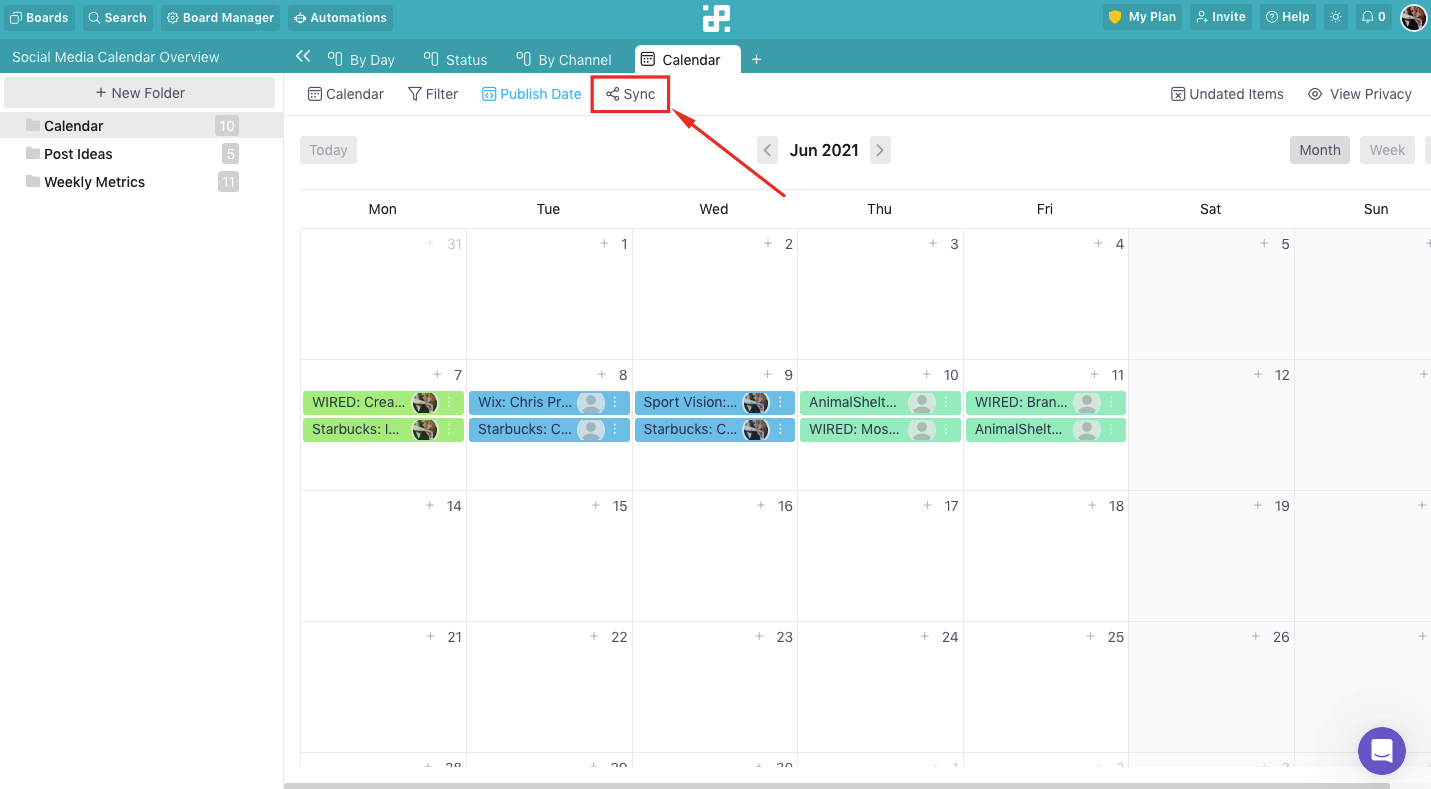
How iCal security works
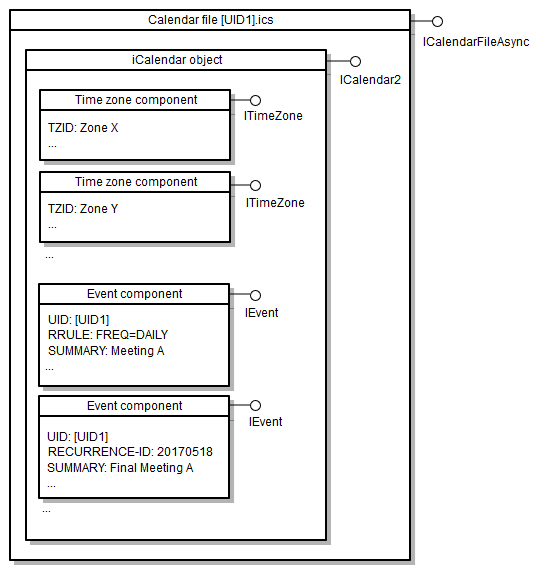
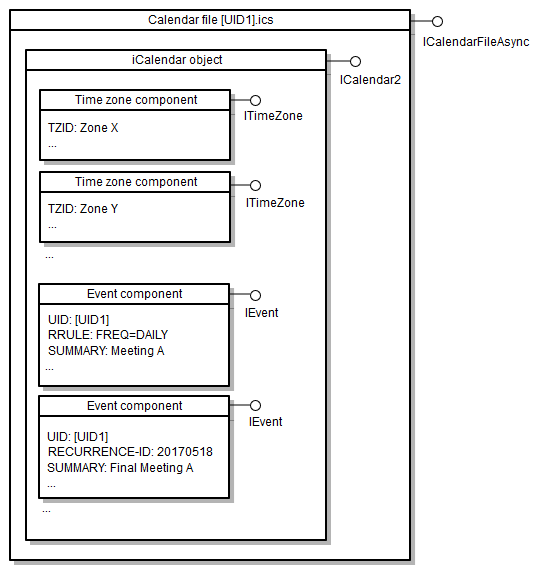
The .ics format is essentially a plain text document. It was built for compatibility, not privacy. If someone intercepts the file, they can read every line of your schedule using a basic text editor. It is as exposed as a postcard in the mail.
Encryption is possible with iCal, but it's not a standard feature and requires specific implementations. Often, encryption is handled at the application level (like within Google Calendar or Apple Calendar) rather than within the .ics file itself. This means if the file is intercepted before it’s encrypted by your calendar application, the data is exposed.
Attackers can exploit iCal vulnerabilities in several ways. Phishing emails with malicious .ics attachments are common—opening these attachments can install malware on your device. Man-in-the-middle attacks, where an attacker intercepts the data transfer between your device and the calendar server, are another threat. And, of course, simply gaining unauthorized access to a device where iCal files are stored is a risk.
New security features in 2026
As of late 2024, there haven’t been sweeping, universally adopted security updates to the iCal standard itself. Instead, improvements are focusing on how iCal viewers and calendar applications handle these files. For 2026, the biggest changes we’re seeing are in improved file parsing and validation within applications like Calendar Geek and major calendar platforms.
Specifically, developers are focusing on strengthening the way iCal viewers handle potentially malicious data within .ics files. This includes stricter validation of data fields to prevent code injection attacks and improved error handling to prevent crashes that could be exploited. These are often behind-the-scenes changes, but they’re important for preventing attackers from exploiting vulnerabilities.
Many viewers are also implementing better safeguards against automatically executing actions based on data within the .ics file. For example, a malicious file might attempt to trigger a program launch or open a network connection. Updated viewers are designed to block these actions unless explicitly authorized by the user. This is a proactive step to mitigate the risk of malware distribution.
Update your viewer. Most 2026 patches focus on how the software handles 'malformed' files that try to trick your system into running hidden code. If you receive an unexpected calendar invite from a stranger, delete it without opening the attachment.
Third-Party Viewer Risks: A Comparison
Using online iCal viewers can be convenient, but it’s essential to understand the risks involved. EmailShot.io, for example, offers a free online viewer, but their privacy policy indicates they collect usage data, including IP addresses and browser information. While they state this data is used for analytics, it’s still data being shared with a third party. They don't explicitly mention encryption for uploaded files.
Google Calendar’s import function essentially is an iCal viewer, but it's integrated with a larger, more secure platform. Google employs robust security measures, including encryption in transit and at rest. However, importing a file still means sharing your calendar data with Google, which may not be desirable for everyone. Their privacy policy details the data they collect and how it's used.
Other, less well-known viewers can be even riskier. Many lack clear privacy policies or security certifications. Some may even bundle malware or track your browsing activity. It's crucial to stick with reputable viewers and to carefully review their terms of service and privacy policies before uploading any sensitive data.
- EmailShot.io is free but logs your IP and browser data without offering file encryption.
- Google Calendar Import: Secure platform, data shared with Google, strong encryption.
- Unknown Viewers: Potentially risky, lack of transparency, may contain malware.
iCal Viewer Security Comparison - 2026
| Platform | Data Collection Practices | Encryption Used | Privacy Policy Transparency | Overall Security Rating |
|---|---|---|---|---|
| EmailShot.io | Collects file uploads for viewing; potential logging of usage for analytics. | No explicit mention of encryption at rest or in transit on the website. | Privacy policy focuses on email marketing services; calendar data handling is not detailed. | Low |
| Google Calendar (Import) | Google's standard data collection practices apply; data is tied to Google account. | Uses Google's TLS encryption in transit and encryption at rest within Google's infrastructure. | Google's privacy policy is comprehensive, but complex; data use for ad personalization is a factor. | Medium |
| ICS File Viewer (Android App) | App permissions required for file access; potential for data collection based on developer practices. | Encryption details depend on the app developer and Android version; not always transparent. | Privacy policy availability and clarity vary significantly between app developers. | Low to Medium (dependent on developer) |
| Apple Calendar (Import) | Data linked to Apple ID; subject to Apple's data policies. | Uses Apple's standard encryption protocols for data in transit and at rest. | Apple's privacy policy is relatively transparent, with a focus on user privacy. | Medium to High |
| Desktop Calendar Applications (Outlook, Thunderbird) | Data stored locally; security depends on device security and user practices. | Encryption depends on the application and chosen settings (e.g., password protection for calendar files). | Privacy policies vary by application vendor; generally more focused on application functionality. | Medium (with user configuration) |
Qualitative comparison based on the article research brief. Confirm current product details in the official docs before making implementation choices.
Syncing Safely: Platform Considerations
Syncing calendars across platforms like Google Calendar, Apple Calendar, and Outlook introduces another layer of complexity to security. Each platform has its own security measures, but they vary in strength. Google Calendar and Apple Calendar generally offer strong encryption and security features, but it's still crucial to use a strong, unique password for each account.
Outlook, while also offering security features, has historically been a more frequent target for phishing attacks. It’s especially important to be vigilant about suspicious emails and to enable two-factor authentication for your Microsoft account. Two-factor authentication adds an extra layer of security by requiring a code from your phone in addition to your password.
Using public Wi-Fi for syncing your calendar is also a risk. Public networks are often unsecured, making it easier for attackers to intercept your data. If you must use public Wi-Fi, consider using a virtual private network (VPN) to encrypt your internet traffic. This adds a layer of protection, but it's not a foolproof solution.
Mobile iCal Viewers: Android & iOS
Mobile iCal viewer apps, like the ICS File Viewer available on the Google Play Store, present unique security challenges. These apps often require permissions to access your storage, network connection, and other sensitive data. It’s essential to carefully review the permissions an app requests before installing it. Does a calendar viewer really need access to your contacts?
Pay attention to the app developer’s reputation and the number of downloads. Apps with a large number of downloads and positive reviews are generally more trustworthy than those from unknown developers. Read the app reviews carefully to see if other users have reported any security concerns. The ICS File Viewer, for example, has a relatively small user base and limited reviews.
Avoid downloading apps from unofficial app stores. These stores often host malicious apps that can compromise your device. Stick to the official Google Play Store or Apple App Store, which have security measures in place to vet apps before they’re made available. Regularly review the permissions granted to your installed apps and revoke any unnecessary permissions.
- Check permissions to see if the app is asking for your contacts or location unnecessarily.
- Check developer reputation and download numbers.
- Read user reviews for security concerns.
- Download apps only from official app stores.
Best Practices for Protecting Your Calendar
Protecting your calendar data requires a multi-layered approach. Start with the basics: use strong, unique passwords for all your calendar accounts. Enable two-factor authentication whenever possible. Be extremely cautious about opening .ics files from unknown sources—treat them like email attachments from strangers.
Keep your calendar applications and iCal viewers updated to the latest versions. These updates often include essential security patches. Regularly review your calendar entries for suspicious activity. If you notice any unfamiliar events or changes, investigate immediately. Consider using a password manager to securely store and manage your passwords.
Finally, be mindful of where and how you share your calendar data. Avoid sharing .ics files with people you don’t trust. If you need to share your calendar with others, consider using a calendar sharing feature that allows you to control access levels. Remember that security is an ongoing process, not a one-time fix.
No comments yet. Be the first to share your thoughts!